Building an Enterprise AI Knowledge Assistant
The Idea Everyone Has
At some point in the last two years, almost every CTO has had the same thought: we should have our own AI - it's a reasonable instinct. The problem is what "owning your own AI" actually means, and what it costs.
Training a Large Language Model (LLM) from scratch requires thousands of GPUs running for months, datasets measured in trillions of tokens, and teams of ML researchers to oversee the process. The companies that do it - spend millions of dollars and employ hundreds of specialists. For small to mid-sized enterprises, this doesn’t make sense.
But here's the thing: for most enterprise use cases, you don't need to train a model. You need a model that knows about your company. And if you're already running Microsoft 365, you're a lot closer than you think.
What Companies Actually Need
The real pain in most organizations isn't that the AI doesn't understand language well enough. It's that it doesn't know anything about the company using it.
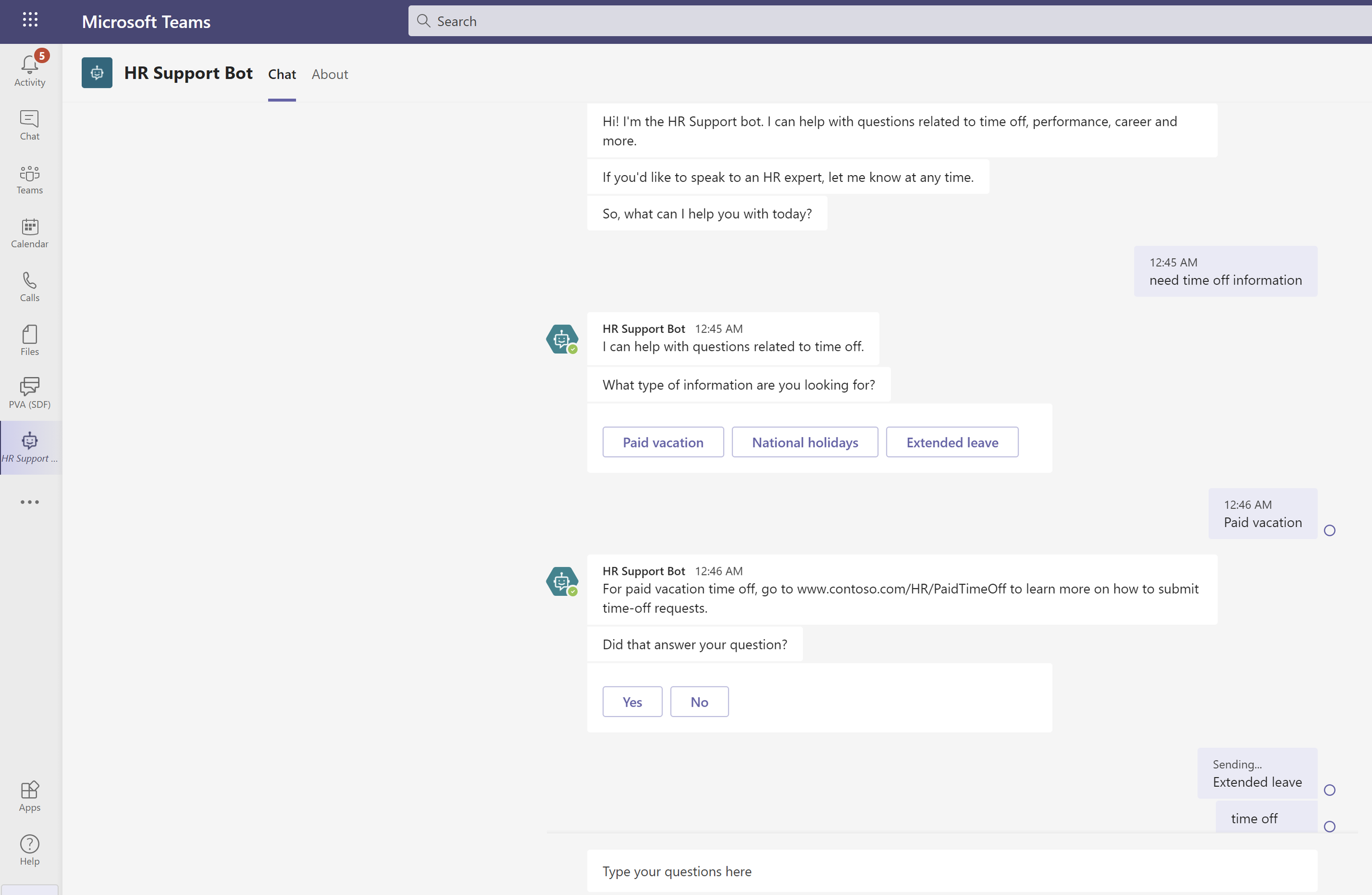
Ask ChatGPT about your vacation policy and it'll tell you to consult your HR department. Ask it about the Q3 report or the onboarding process for new subcontractors, and you'll get a polite non-answer. The model is capable - it just doesn't have access to your content.
The consequence is predictable. HR fields the same questions repeatedly. New employees take weeks to find information that exists somewhere in SharePoint but is nearly impossible to find. Institutional knowledge walks out the door when experienced people leave because it was never captured in a form the organization could use.
The insight that changes the picture: an AI agent doesn't need to know your content at training time. It just needs to be able to access it at query time.
What It Looks Like
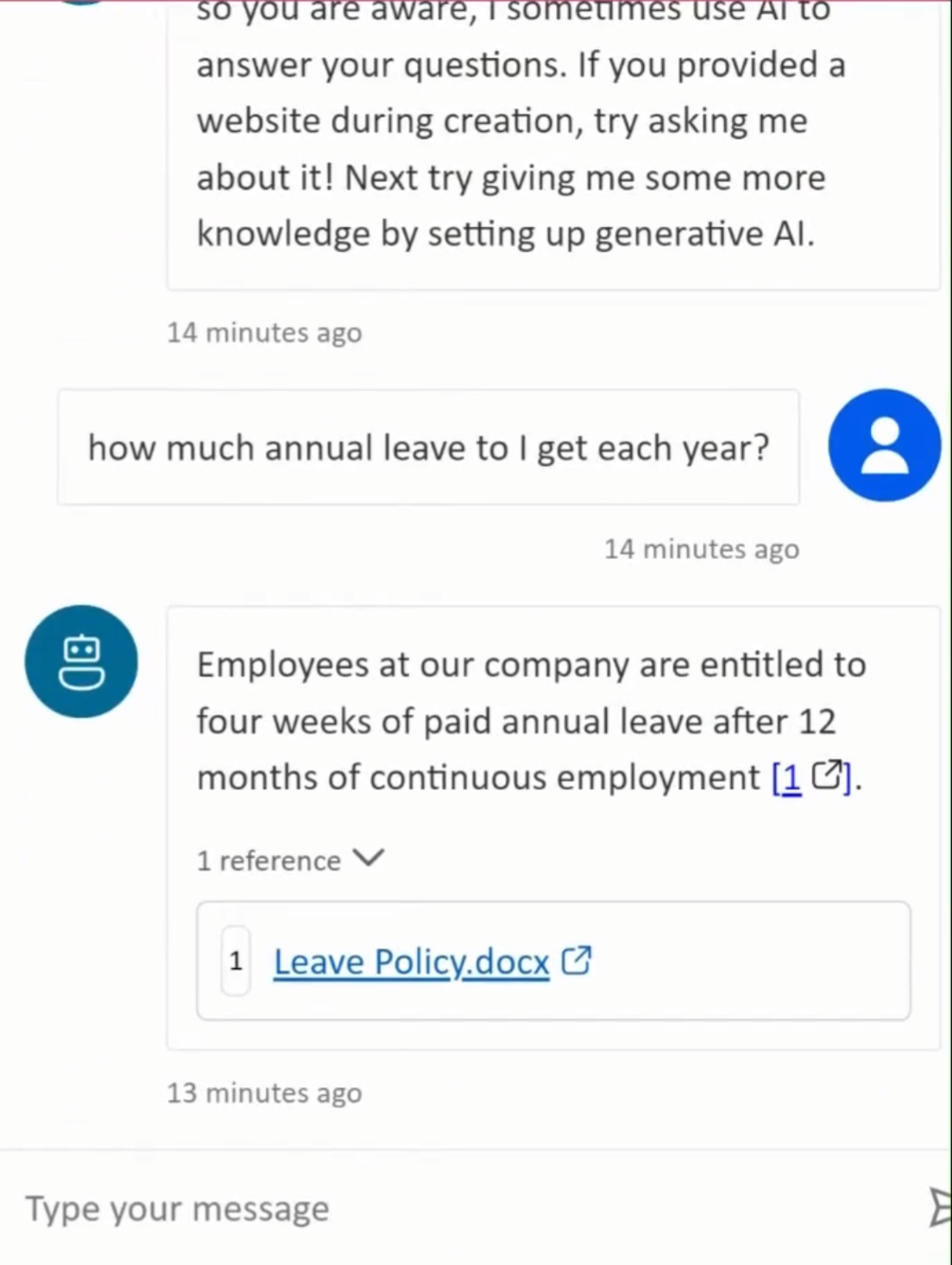
Imagine an employee opening Teams, typing "what's our policy on remote work for out-of-state contractors?", and getting a clear, accurate answer in seconds - with a link to the source document. No ticket, no waiting for HR to respond, no digging through SharePoint folders hoping the right file has a recognizable name.
The technique behind it is called Retrieval-Augmented Generation - RAG for short. When someone asks a question, the system finds the most relevant content from your document library, hands it to the LLM as context, and the model constructs an answer from what it just read. It cites its sources. It respects your existing permissions - if someone doesn't have access to a file in SharePoint, they won't get answers drawn from it either.
For Microsoft 365 organizations, this is remarkably achievable. Microsoft has built the infrastructure to make it work - Copilot Studio orchestrates the pipeline, SharePoint is the knowledge source, Azure OpenAI provides the language model, and the whole thing surfaces in Teams as a natural conversation. Users don't install anything or learn a new tool. They just ask questions.
The incremental cost for organizations already holding Microsoft 365 Copilot licenses is effectively zero on top of what they're already paying.
Getting the Most Out of It
The technology is the easy part. Keeping your organization’s policies and institutional knowledge documented is how to get the best results out of it. User expectations matter too; a little training goes a long way.
Done right, the return is real. HR stops fielding "what's our vacation policy?" for the hundredth time. New hires get productive faster. People stop bothering colleagues with questions the organization already answered somewhere. That's not a marginal improvement - it's a quieter, less interrupted workday for everyone.
That is the foundation, not the ceiling. Once your organization has the pattern working - content indexed, users engaged, trust established - the same infrastructure extends naturally. Connect it to additional data sources. Scope specialized assistants to specific teams or domains. Layer in more sophisticated capabilities as your confidence grows.
The organizations that will get the most out of AI over the next few years aren't necessarily the ones that spent the most on it. They're the ones that started with something real, made it work, and built from there.
Technical Architecture
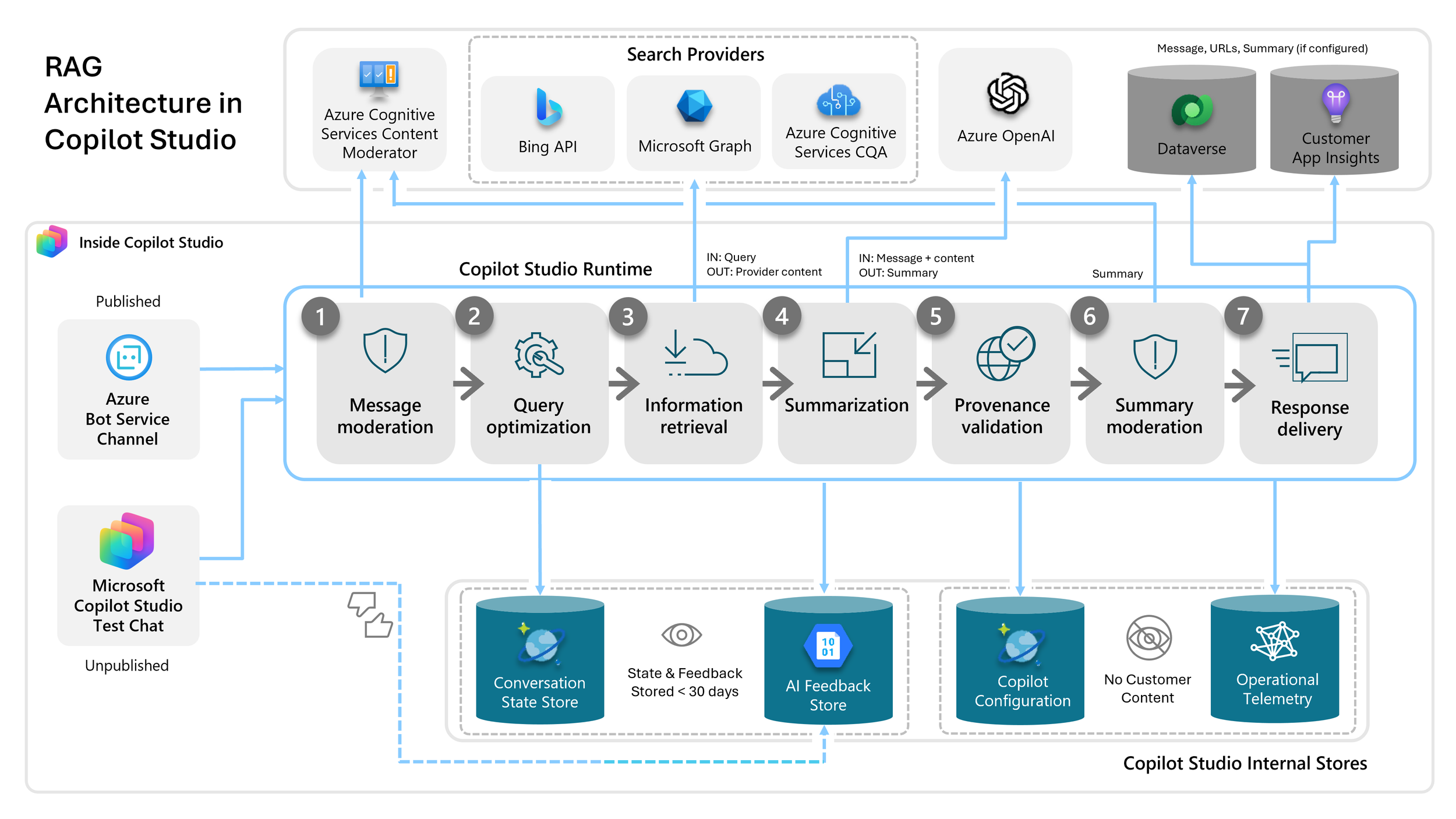
Microsoft has built a managed RAG pipeline into Copilot Studio that connects directly to SharePoint, enforces permissions through Entra ID, and surfaces in Teams and on SharePoint sites with no custom infrastructure required.
SharePoint Online is an important knowledge source. Documents, libraries, pages, and lists are indexed automatically. The system respects existing permissions — if a user doesn't have access to a file in SharePoint, they won't get answers from it through the assistant either.
Microsoft Tenant Graph handles retrieval. When a user asks a question, it performs semantic search across the indexed content and surfaces the most relevant excerpts.
Azure OpenAI (GPT-4.1) generates the response, grounded in what was retrieved. The model doesn't guess or draw on general internet knowledge — it works from your content.
Copilot Studio orchestrates the pipeline. This is where the agent is configured: its persona, the scope of its knowledge, how it handles questions outside its knowledge base, and how it formats responses.
Microsoft Teams is the primary user surface. Each user has a 1:1 conversation with the assistant, exactly like messaging a colleague. It's also embeddable directly on SharePoint sites, so users can ask questions in context of the content they're already reading.
Microsoft Entra ID handles authentication throughout. No separate identity management, no new permission systems to maintain.
The deployment is configuration, not development. There's no custom inference infrastructure, no model to maintain, and no new identity system to build. Everything runs inside the organization's existing Microsoft tenant.
Closing Thought
Training your own large language model is not a realistic goal for most organizations, and for most use cases, it's not necessary. The capability gap that matters - the AI doesn't know anything about us - is closed by giving the model access to your content, not by retraining it from scratch.
What Microsoft has built makes this accessible to any organization already running Microsoft 365. The technology is mature. The deployment path is defined. The open questions are organizational, not technical: what content do you want the assistant to know, who do you want to use it, and how will you help people use it well?
If you are looking for someone to help your organization integrate AI into your operations in a sensible way; SoftAtomic can help you focus on the things that truly add value.